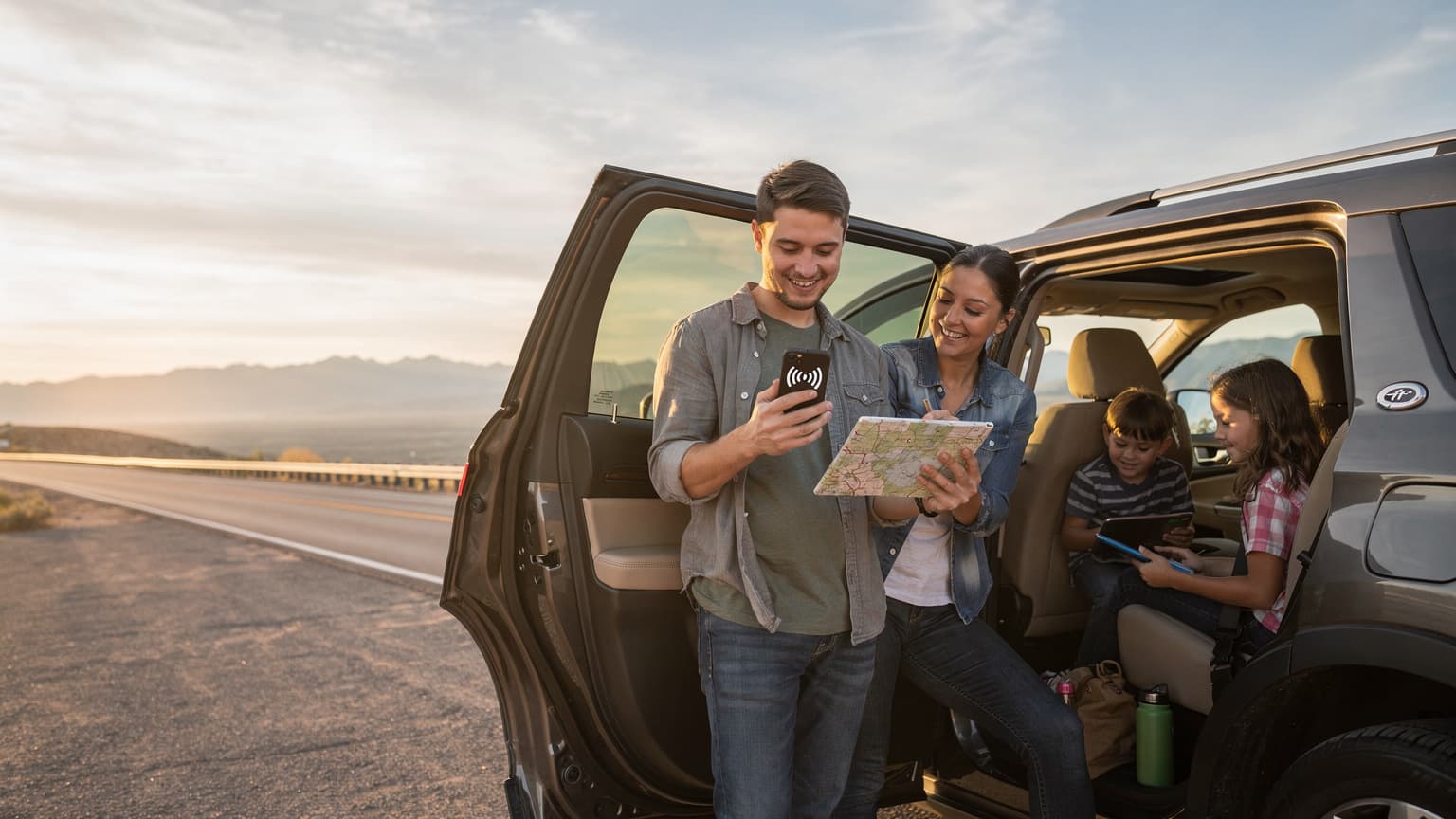
The Family Data Dilemma on the Open Road
Ah, the American family road trip. The vast landscapes, the promise of adventure, and the inevitable chorus of "Are we there yet?" from the backseat. As a veteran of countless multi-country expeditions with my own two energetic travelers, I know that keeping the peace (and their devices charged and connected) is half the battle. The days of simply handing over a coloring book are long gone, replaced by the digital demands of streaming Disney+, Roblox marathons, and desperate attempts to find the nearest McDonald's WiFi. The burning question for any parent planning a cross-country trek in 2026 isn't just about gas prices, it's about how to keep everyone connected without inadvertently signing up for a second mortgage to cover data overages.
My kids, bless their hearts, treat the car like a mobile entertainment hub. Their iPads are practically surgically attached, and the Nintendo Switch needs its online fix for multiplayer games. Ignoring this reality is like trying to drive cross-country without air conditioning in July, a recipe for disaster. This isn't just about entertainment, either, it's about navigation, finding last-minute hotel deals, checking attraction opening hours, and (let's be honest) sanity for the adults in the front.
The Challenge of Multiple Devices and Demands
Between my phone, my partner's phone, the kids' two iPads, and sometimes even a tablet for reading, we're looking at five or six devices that demand a constant stream of data. Each device has its own appetite. My partner needs reliable GPS and Spotify. I need to upload photos and check emails. The kids? They need enough bandwidth for a data plan sized for 2 kids streaming Disney+ simultaneously, plus whatever YouTube rabbit hole they've discovered. This isn't a small ask, especially when you're traversing vast stretches of highway between major cities. It's not just about having data, it's about having the right amount, reliably, everywhere.
Roaming vs. Local SIMs: The Old Way
In the past, our options were limited. We either shelled out for exorbitant international roaming fees from our home carrier, or we painstakingly hunted down local SIM cards in each country, often battling language barriers and registration processes. Roaming, frankly, is a non-starter for families. The costs add up terrifyingly fast, as I've detailed in my guide on Roaming vs eSIM: Family Data Costs Across 50 Countries in 2026. Local SIMs were better for cost, but the hassle of swapping cards, managing different numbers, and keeping track of top-ups for multiple devices was enough to make me want to stay home.
Understanding eSIM Basics for Group Travel
Enter the eSIM, the unsung hero for modern family travel. For those unfamiliar, an eSIM (embedded SIM) is a digital SIM card that allows you to activate a cellular plan from a carrier without needing a physical SIM card. It's built right into your phone or tablet. For families, this is a game-changer. No more fumbling with tiny trays and even tinier cards, just a quick QR code scan, and you're connected.
What is an eSIM and Why It Matters for Families
Think of an eSIM as a chameleon for your phone. It can change its identity (its network provider) with a simple software update, rather than a physical swap. This flexibility is gold for parents. Instead of buying a separate SIM for every device, you can often manage multiple profiles or, more commonly for families, use one robust eSIM on a primary device and share the connection. This means less stress, fewer physical items to lose, and a much smoother setup process when you've just driven eight hours with two kids in the back.
eSIM-Compatible Devices: Checking Your Gear
Before you get too excited (though you should be, it's great!), you need to ensure your devices are eSIM compatible. Most newer smartphones, especially iPhones from the XS/XR onward, and many recent Android models, support eSIMs. For tablets, it's a bit more hit-and-miss, but many cellular-enabled iPads do. My kids' iPads are typically the ones we want connected, so checking that first is crucial. You can usually find this information in your device settings under 'About Phone' or 'Cellular Plan'. If you're wondering about the latest tech, my colleague's article on iPhone 17 eSIM: Maximize Your Travel Data for 2026, An Engineer's Guide offers a deep dive into compatibility.
| Device Type | Common eSIM Compatibility | Notes for Families |
|---|---|---|
| Smartphones (iPhone) | iPhone XS, XR, 11, 12, 13, 14, 15, 16, 17 series | Excellent for primary parent phones, often the hotspot source. |
| Smartphones (Android) | Samsung Galaxy S20 series & newer, Google Pixel 3 & newer, many newer flagships | Check specific model; great for backup hotspot or individual line. |
| Tablets (iPad) | iPad Pro (3rd gen & newer), iPad Air (3rd gen & newer), iPad (7th gen & newer), iPad Mini (5th gen & newer) | Crucial for kids' entertainment; ensure cellular models, not Wi-Fi only. |
| Smartwatches | Apple Watch Series 3 & newer (cellular models), Samsung Galaxy Watch & newer (LTE models) | Useful for parents to stay connected without phone, but not for sharing data. |
Is One eSIM Plan Really Enough for the Whole Family?
This is the million-dollar question for many travel planners. The short answer is: often, yes, if you plan strategically. The primary way to make one eSIM plan work for the whole family is through mobile hotspot functionality, sometimes called tethering. This turns your eSIM-enabled smartphone into a portable Wi-Fi router, allowing other devices to connect to its data.
The Power of Mobile Hotspot: Your Portable WiFi
I cannot overstate the convenience of a reliable mobile hotspot. On a recent drive from Phoenix to the Grand Canyon, my partner's phone, equipped with a robust USA eSIM, became our central hub. Both kids' iPads were connected, humming along with their respective streaming services, while my phone handled navigation and a quick work check. It meant we didn't have to worry about spotty hotel Wi-Fi or expensive in-car plans. It was seamless, and honestly, a lifesaver for my weary parent humor reserves.
When Individual eSIMs Might Be Better
While one shared plan is often the most economical, there are scenarios where individual eSIMs for each family member (or at least the adults) make more sense. If you anticipate splitting up often, say, one parent takes the kids to a water park while the other explores a museum, separate data lines ensure everyone remains independently connected. Also, if one device is particularly data-hungry or needs constant, uninterrupted connectivity (perhaps for remote work on the go), its own eSIM can prevent slowdowns for others. For the typical family road trip, however, a shared plan usually hits the sweet spot for balance and budget.
Tethering and Hotspot: How to Share the Love
Setting up a mobile hotspot is usually straightforward, but it's important to understand how to manage it efficiently, especially with multiple devices vying for bandwidth. Tethering transforms your phone into a mini Wi-Fi tower, allowing up to five or ten devices to connect simultaneously, depending on your phone model and operating system.
Step-by-Step: Activating Your Phone's Hotspot
This process is remarkably similar across most modern smartphones, whether you're an Apple or Android devotee.
- Ensure eSIM is Active: First, confirm your eSIM plan is properly installed and active on your primary phone. You should see a strong cellular signal.
- Navigate to Hotspot Settings: On an iPhone, go to Settings > Personal Hotspot. On Android, it's typically Settings > Network & internet > Hotspot & tethering > Wi-Fi hotspot.
- Toggle On Personal Hotspot: Flip the switch to enable it.
- Set a Strong Password: This is crucial. You don't want strangers latching onto your data plan. Choose a unique, strong password.
- Connect Other Devices: On the devices you want to connect (the kids' iPads, your partner's phone), go to their Wi-Fi settings, find your phone's network name, and enter the password.
- Monitor Usage: Most phones allow you to see how many devices are connected and how much data they're consuming. Keep an eye on this, especially when the kids are streaming in 4K.
Managing Multiple Devices and Bandwidth
When you have a data plan sized for 2 kids streaming Disney+ alongside adult usage, bandwidth management becomes key. My golden rule: prioritize. When we're on a long stretch of highway, only the kids' iPads get prime streaming access. My partner and I might download podcasts or offline maps beforehand to conserve data. Many streaming apps, like Netflix and Disney+, allow you to adjust streaming quality, which can significantly reduce data consumption. Dropping from 1080p to 720p or even standard definition is often imperceptible on a smaller tablet screen but can save gigabytes.
Calculating Your Family's Data Needs: The Honest Truth
This is where the rubber meets the road, literally. Underestimating your family's data consumption is a common pitfall that leads to unexpected charges and grumpy travelers. I've learned this the hard way, thinking a 10GB plan would suffice for a week, only to find it decimated by day three.
How Much Data Do You Really Need?
Let's be realistic. Kids' devices are data sponges. Here's a rough breakdown of typical usage per hour:
- Streaming HD video (Disney+, YouTube Kids): 1-3 GB/hour
- Standard definition video: 0.5-0.7 GB/hour
- Online gaming (Roblox, Minecraft online): 50-150 MB/hour
- Social media (TikTok, Instagram): 200-500 MB/hour
- Web browsing, email, maps: 10-50 MB/hour
If two kids are streaming HD for three hours a day, that's already 6-18 GB. Add in some gaming, social media for teens, and adult usage, and you can see how quickly it escalates. For a week-long road trip with two adults and two kids, I'd honestly recommend a minimum of 50GB, and ideally 100GB or an unlimited plan, especially if you're hitting areas with no Wi-Fi.
Tips for Conserving Data on the Go
Conservation is key to making your data last:
- Pre-load Apps and Content: Before you leave home (or a hotel with strong Wi-Fi), download movies, TV shows, audiobooks, and games. Apps like Netflix, Disney+, and Spotify all offer offline downloading. This is my #1 tip for pre-loaded apps before the flight or road trip.
- Download Offline Maps: Google Maps and Apple Maps allow you to download entire regions for offline use. This is a lifesaver in areas with spotty coverage and prevents unnecessary data drain.
- Limit Background App Refresh: Turn off automatic updates and background refresh for non-essential apps on all devices, especially the kids' tablets.
- Use Wi-Fi When Available: Take advantage of hotel Wi-Fi, even if it's slow, for large downloads or updates.
- Adjust Streaming Quality: As mentioned, downgrade video quality on streaming services when using cellular data.
Choosing the Right eSIM Plan for Your USA Adventure
Not all eSIM plans are created equal, especially when you're planning for an entire family. You need to consider coverage, data allowance, duration, and crucially, whether hotspotting is permitted.
Unlimited vs. Fixed Data: Weighing Your Options
For a family road trip, an unlimited data eSIM plan for the USA is often the most stress-free option. While typically a bit pricier upfront, it removes the anxiety of constantly monitoring usage and avoids costly top-ups. Just check the fair usage policy, as some "unlimited" plans might throttle speeds after a certain threshold. If unlimited is out of budget, opt for a generous fixed data plan (50GB+) and combine it with rigorous data conservation strategies.
| Plan Type | Pros for Families | Cons for Families | Ideal Scenario |
|---|---|---|---|
| Unlimited Data eSIM | No data anxiety, stream freely, supports multiple devices, parental peace of mind. | Higher upfront cost, potential for speed throttling after high usage. | Heavy streamers/gamers, long trips, unpredictable data needs. |
| High Fixed Data eSIM (e.g., 50GB+) | More budget-friendly than unlimited, sufficient for moderate use with conservation. | Requires careful monitoring, risk of running out of data, top-up costs. | Budget-conscious families, shorter trips, diligent data managers. |
| Multiple Small Data eSIMs | Independent connectivity for each device, easier to track individual usage. | More expensive overall, more plans to manage, potential for wasted data on unused plans. | Families where individuals frequently separate, specific high-data users. |
Coverage and Network Reliability Across the USA
The USA is vast, and cellular coverage can vary dramatically between urban centers, national parks, and remote highways. Most eSIM providers for the US leverage major networks like AT&T, T-Mobile, or Verizon. Before purchasing, check the coverage maps for your specific route. A quick search for 'USA eSIM' will lead you to various providers, but always dig into the details of which underlying network they use. Verizon, for instance, often has superior coverage in rural areas compared to some competitors. For a smooth trip, prioritize a provider that utilizes a strong network across your planned itinerary.
Prepping Devices for the Journey, Before You Go
A little preparation goes a long way in preventing tech-related meltdowns on the road. Believe me, dealing with a "My iPad isn't working!" crisis when you're 100 miles from the next service station is not how you want to spend your vacation.
Downloading Essential Apps and Entertainment Offline
This is my golden rule of pre-trip tech prep. Before we even leave the driveway, every iPad, phone, and even the Switch has its memory loaded. Think beyond just movies:
- Offline Maps: Always. Even if you have data, cell service can drop in unexpected places.
- Audiobooks/Podcasts: Great for when screens are off or for winding down. Apps like Libby (for library books) are fantastic.
- Educational Games: Keeps minds active without relying on Wi-Fi.
- Music Playlists: Downloaded Spotify or Apple Music playlists mean no buffering on long drives.
- Streaming Content: Disney+, Netflix, Hulu, Prime Video, all allow downloads. Just remember to check expiration dates for offline content.
Seriously, this one step saves so much data and so many headaches. It's the difference between a peaceful drive and a backseat battle royale. For more general advice on optimizing your phone for travel, check out iPhone 17 eSIM: Maximize Your Travel Data for 2026, An Engineer's Guide. While specific to the iPhone 17, many of the principles apply universally.
Charging Solutions for a Mobile Family
With multiple devices, charging becomes a logistical puzzle. My car is basically a charging station on wheels. We always pack:
- Multi-port USB Car Charger: At least a 4-port charger that plugs into the 12V socket. Look for high wattage ports (2.4A or higher) for faster tablet charging.
- Portable Power Banks: Several high-capacity (20,000mAh+) power banks are essential for topping up devices when the car is off, or during long stops.
- Extra Cables: Cables get lost, tangled, or mysteriously disappear. Pack spares for every device type (Lightning, USB-C, Micro-USB).
- Inverter (Optional): If you have devices that require a standard wall plug (like a laptop or a Switch dock), a car power inverter is a game-changer.
Parental Controls and Screen Time Management with eSIMs
Even on vacation, rules apply. Keeping kids connected is one thing, but allowing unchecked screen time is another. Thankfully, parental-control features that work on the eSIM line are robust and largely independent of your data source.
Utilizing Device-Level Controls for Screen Time
Whether you're using Apple's Screen Time or Android's Digital Wellbeing, these built-in features are your best friends. They operate at the device level, meaning they work regardless of whether the device is on Wi-Fi or cellular data (via your eSIM hotspot). You can:
- Set App Limits: Restrict how long kids can use specific apps, like TikTok or Roblox.
- Schedule Downtime: Automatically lock devices or restrict apps during certain hours (e.g., after 8 PM or during meal times).
- Content Restrictions: Block inappropriate websites, apps, and movies.
- Communication Limits: Control who your child can communicate with.
I find that setting clear expectations and rules before we even leave the driveway works wonders. The kids know their limits, and the device-level controls enforce them, so I don't have to be the constant bad guy. (Mostly.)
eSIM Providers and Parental Control Features
While eSIM providers themselves typically don't offer direct parental control features on the data line, they enable the underlying connectivity that makes your device's built-in controls function. The key is to choose an eSIM plan with reliable coverage and sufficient data. If the connection drops or is too slow, the kids will just revert to pestering you, which defeats the purpose of screen time management in the first place.
"Managing screen time on a road trip isn't about punishment, it's about balance. An eSIM gives you the data freedom to provide entertainment when needed, while device-level controls ensure it doesn't become a free-for-all." , Sarah Miller, Americas Travel & Connectivity Lead
Connectivity in the Wild: Theme Parks and Cruise Ships
Road trips aren't just about driving, they often include stops at major attractions. Connectivity inside theme parks / cruise ships presents its own unique challenges.
Theme Park Connectivity: Navigating Crowds and Apps
Theme parks like Disney World, Universal Studios, and Six Flags are increasingly reliant on their mobile apps for everything from ride wait times to mobile ordering and virtual queues. A reliable data connection is no longer a luxury, it's a necessity. While many parks offer free Wi-Fi, it's often slow, unreliable, and can be overwhelmed by thousands of users. This is where your eSIM hotspot shines. Having your own dedicated data connection means you're not fighting for bandwidth, ensuring your FastPass+ or Genie+ app works when you need it most. Plus, it keeps the kids occupied in those notoriously long lines with their favorite apps. I've found that even in the most crowded areas of Magic Kingdom, our eSIM-powered hotspot kept us smoothly connected.
Cruise Ship Connectivity: Shore Excursions and Sea Days
For a road trip that includes a coastal cruise, the connectivity strategy shifts. On the open sea, traditional cellular signals vanish, and ship Wi-Fi packages are notoriously expensive. However, when you're in port, your USA eSIM becomes invaluable for shore excursions. In places like Miami, Seattle, or Long Beach, your eSIM will provide local data coverage, allowing you to navigate, find restaurants, and connect with your family without relying on pricey ship data or hunting for free Wi-Fi. My article on 2026 World Cup USA: Score Big, Stay Connected, and Save on Data touches on how a US regional eSIM can be beneficial for specific large events, but the principle of robust connectivity holds true for any US-based travel, including cruise port stops.
Troubleshooting Common eSIM Issues on the Go
Even with the best planning, sometimes things go sideways. Knowing a few quick fixes can save you a lot of grief on the road. After all, dealing with tech issues when the iPad needs a top-up of data, and it's not working, is nobody's idea of fun.
My eSIM Won't Activate? Quick Fixes
If you're having trouble activating your eSIM, don't panic. Here's a quick checklist:
- Restart Your Device: The classic IT solution, but it works surprisingly often.
- Check Your Internet Connection: You need a temporary internet connection (Wi-Fi usually) to download the eSIM profile. If you're stuck in a dead zone, try again later or find a café.
- Verify eSIM Settings: Go to your phone's cellular settings and ensure the eSIM profile is toggled 'On' and set as the primary data line (if applicable).
- Scan QR Code Carefully: Ensure good lighting and a steady hand when scanning the activation QR code. Sometimes, a slight blur can prevent activation.
- Contact Support: If all else fails, reach out to your eSIM provider's customer support. They can often re-send the QR code or walk you through specific troubleshooting steps. For general eSIM help, a visit to the FAQ section of your provider's website is always a good starting point.
Slow Speeds or Intermittent Connectivity
This is usually a coverage issue or network congestion. Here's what to do:
- Check Coverage Maps: Consult your eSIM provider's coverage map to see if you're in a known weak signal area.
- Move to a Different Location: Sometimes just driving a few miles down the road or stepping outside a building can make a difference.
- Toggle Airplane Mode: Turning airplane mode on and off can force your phone to reconnect to the nearest tower.
- Reduce Data Usage: If speeds are slow, turn off streaming on other devices, or lower video quality.
- Restart Hotspot: If tethering is slow, try turning the hotspot off and back on.
Final Thoughts on Stress-Free Family Connectivity
Planning a family road trip across the USA in 2026 doesn't have to be a battle against exorbitant data costs or constant cries of "I'm bored!" from the backseat. With a strategic approach to eSIMs, you can keep everyone happily connected, entertained, and on schedule.
Embrace the eSIM as your family's connectivity co-pilot. By choosing a robust plan, managing data usage, and leveraging your device's hotspot capabilities, you're not just buying data, you're investing in peace of mind. It allows for spontaneous detours (thanks, Google Maps!), ensures those crucial theme park apps function flawlessly, and, most importantly, keeps the kids immersed in their digital worlds, giving you a moment to actually enjoy the view.
Remember, the goal is a seamless, memorable adventure, not a tech nightmare. A well-chosen eSIM plan is a fundamental building block for that. So, pack your bags, charge your devices, and hit the road knowing that connectivity is one less thing to worry about. Happy travels, and may your Wi-Fi signal always be strong!